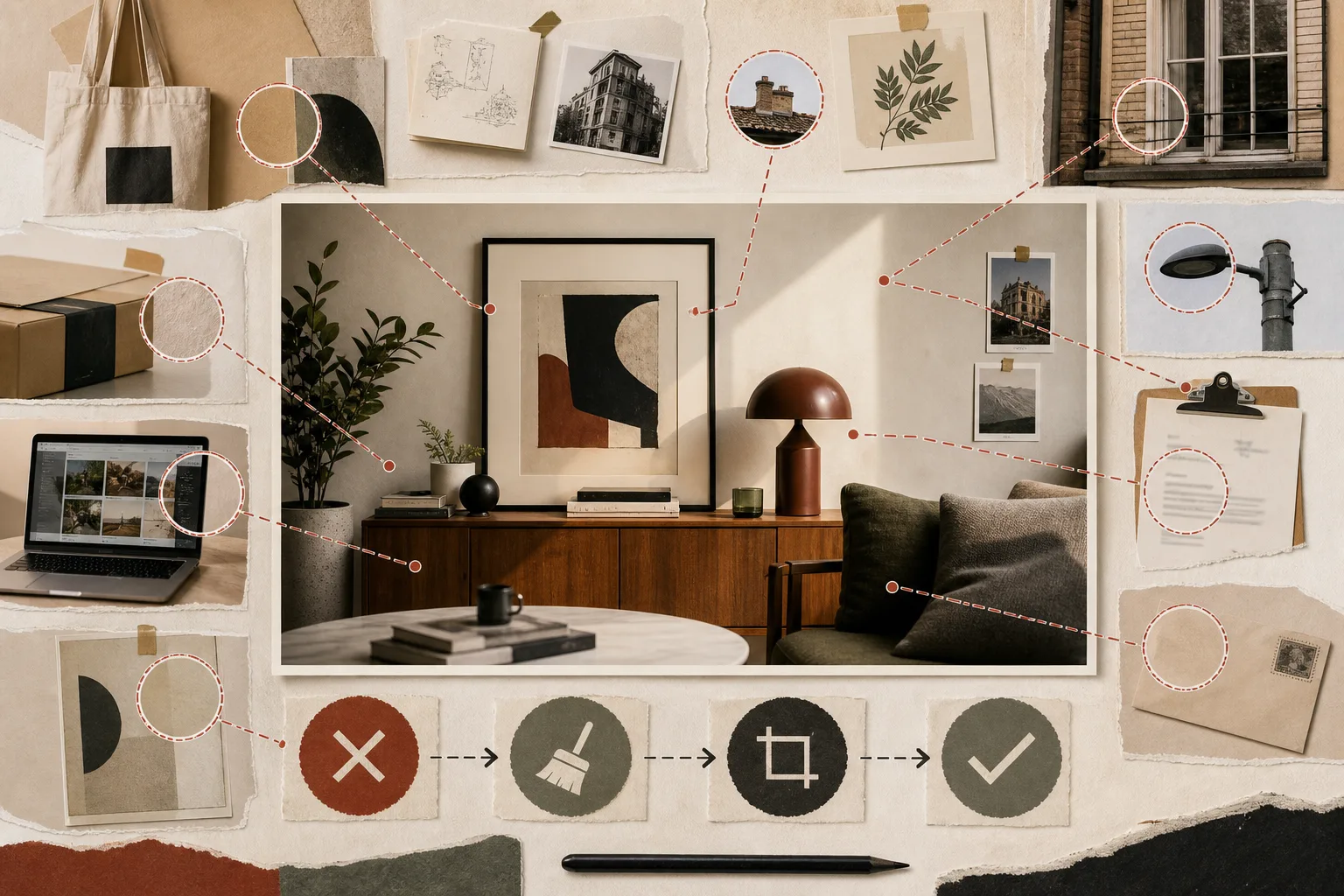
Attention follows the main subject, which makes the edges easy to miss. Wall art, packaging, paperwork, an active display, reflections, and the view through a window all remain inside the finished asset. Small or soft does not automatically mean irrelevant.
Sweep the entire frame before the subject enters.
Inspect corners, reflective surfaces, windows, shelves, desks, clothing, and props. Look for creative works, marks, addresses, names, contact details, license plates, portraits, and notifications.
Make a clean background reference before staging the subject. It is easier to find a problem when the frame is not yet busy.
Solve avoidable problems during capture.
Move an object, turn toward a plain surface, switch off a screen, replace paperwork, or change camera position. A practical field correction is usually more reliable than a promised edit.
Overlap, reflections, texture, and motion can make later removal difficult, especially in video.
Separate access permission from permission to license the image.
Being allowed to enter or photograph a location does not necessarily answer every question about commercial licensing. Confirm the relevant scope for buildings, interiors, displays, art, and venue identity.
Use the destination’s current requirements and retained permission records. Do not turn uncertainty into assumed clearance.
The background is not decoration. It is information delivered with the asset.
Inspect at full size and across the whole clip.
Text or marks that disappear in a thumbnail may become legible in the source. Magnify reflections, distance details, wardrobe, and props.
For video, watch from beginning to end. A sign, display, or passerby may enter for only a few frames.
Record remove, reframe, clear, or hold decisions.
Connect the issue, selected action, and evidence to the asset ID. When editing is appropriate, preserve the source and create a separate version.
Keep unresolved work on hold. A deadline does not make an unclear right become clear.
Background sweep
- Check corners, reflections, windows, shelves, and desks
- Find works, marks, private data, screens, and signs
- Move, switch off, replace, or reframe in the field
- Review full resolution or the complete clip
- Hold the asset when permission remains unclear